
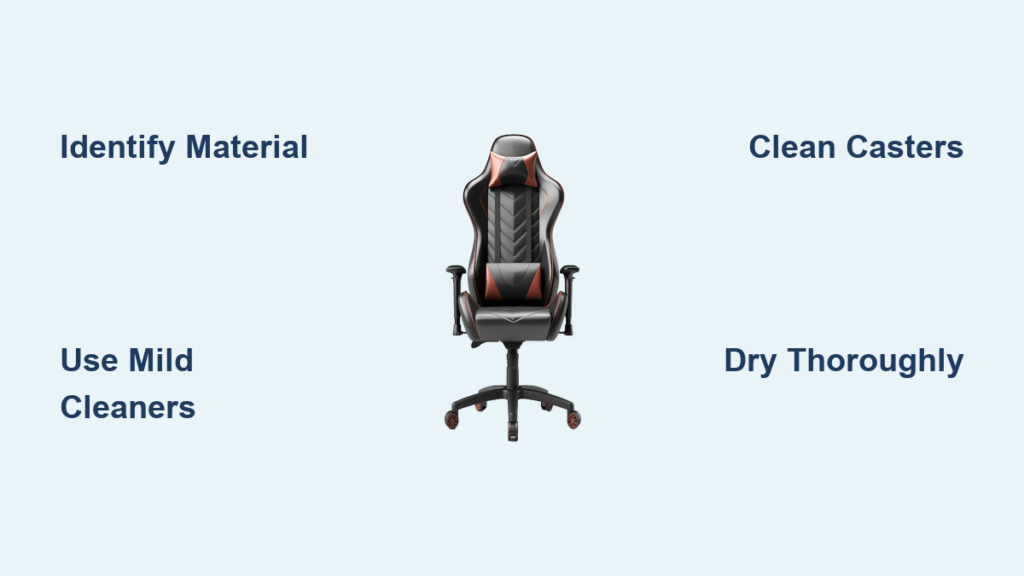
Your gaming chair has survived epic boss battles, late-night streams, and questionable snack choices—but those coffee rings on the armrests and mysterious crumbs in the crevices tell a different story. If you’re wondering how to clean gaming chairs properly, you’re not alone. Most gamers unknowingly destroy their $500 investment with bleach wipes or excessive water, causing irreversible cracks in PU leather or mold in fabric mesh. Proper cleaning isn’t just about looks; it preserves ergonomic support, prevents 40-50% lifespan reduction from neglect, and keeps your command center hygienic during marathon sessions. By following material-specific techniques, you can restore even heavily soiled chairs to 85-90% of their original condition.
Match Cleaning Methods to Your Chair Material

PU leather dominates 80% of gaming chairs for its sleek look and water resistance, but it’s vulnerable to cracking from harsh chemicals. Identify it by its smooth, slightly plastic texture and uniform grain pattern. Genuine leather feels softer and develops a natural patina, while fabric mesh breathes better but soaks up spills like a sponge. Hybrid models combine materials—often PU leather seats with fabric backs—requiring multi-technique approaches.
Check the manufacturer tag underneath your chair for cleaning codes: “W” means water-based cleaners are safe, “S” requires solvent-based products, and “WS” allows either. No tag? Perform a colorfast test on the chair’s hidden underside before using any solution. This 30-second precaution prevents permanent damage that could void your warranty, especially since stains and improper cleaning aren’t covered under standard warranties.
Build Your Gaming Chair Cleaning Kit
Skip store-bought “all-in-one” cleaners—they often contain ammonia that destroys leather finishes. Your core toolkit needs four microfiber cloths (one for applying solutions, one for drying, two spares for different materials), a soft-bristled detailing brush for textured surfaces, and your vacuum’s upholstery attachment. For specialized solutions:
- PU Leather: Mix 1-2 drops of mild dish soap per cup of warm water. Keep 70% isopropyl alcohol for stubborn stains like ink.
- Genuine Leather: Use pH-balanced leather cleaner followed by conditioner to prevent drying.
- Fabric Mesh: Choose enzyme-based stain removers for sweat or food spills.
- Universal Backup: Equal parts white vinegar and water neutralizes odors without damaging materials.
Never use bleach, ammonia, or abrasive scrubbers—they’ll degrade materials faster than daily wear. Cotton swabs and compressed air are essential for caster wheels and crevices where hair and crumbs accumulate.
Execute a Full Gaming Chair Deep Clean
Pre-Clean Setup for Maximum Results
Disconnect all RGB lighting and USB connections before starting—water damage to electronics voids warranties immediately. Lower the chair to its minimum height for stability, then tilt it backward to access hidden areas. Vacuum every surface using the upholstery attachment, moving from top to bottom to avoid embedding dirt deeper. Flip the chair sideways to clear casters: remove visible debris with tweezers, then blast compressed air into the mechanism until wheels rotate smoothly.
Pro Tip: Test casters on a hard surface after cleaning—any grinding noise means residual hair is still trapped. Repeat the air blast until rotation is silent.
Material-Specific Deep Cleaning Techniques
PU Leather Seats and Backrests:
1. Mist soap solution onto a microfiber cloth (never spray directly on the chair)
2. Wipe in gentle circular motions from top to bottom
3. Immediately dry with a second cloth to prevent moisture damage
4. For ink or permanent marker, dab 70% alcohol on a cotton swab—never rub
Fabric Mesh Surfaces:
1. Vacuum thoroughly using the brush attachment
2. Apply upholstery cleaner at manufacturer-recommended dilution
3. Work solution into fibers with soft brush using circular motions
4. Blot stains with a clean towel—rubbing spreads discoloration
5. Allow 6-8 hours of complete air drying away from direct sunlight
Genuine Leather Care:
1. Apply leather cleaner sparingly with a soft cloth
2. Remove residue with a separate clean cloth before it dries
3. While surface is still slightly damp, apply conditioner
4. Buff with dry cloth after 30 minutes to restore shine
For armrest joints and adjustment mechanisms, use cotton swabs dipped in appropriate cleaners. Wipe metal parts with a barely damp cloth and dry immediately to prevent rust—squeaking often stems from corrosion in these areas.
Eliminate Gaming’s Worst Stains

Coffee and soda spills require immediate action: Blot within 5 minutes with a dry cloth, then apply material-specific cleaner. Set stains respond to multiple treatments—expect 60-80% improvement on fabric chairs. Grease from pizza needs different approaches: dish soap solution for PU leather, baking soda paste (leave 4-6 hours) for fabric, and leather degreaser for premium chairs.
Ink stains are high-risk: 70% alcohol works on PU leather but may damage genuine leather—test first. Sweat and body oils (the most common gaming chair bane) require enzyme cleaners on fabric and thorough conditioning on leather. For persistent odors, sprinkle baking soda on fabric surfaces, wait 4 hours, then vacuum thoroughly.
Implement a Foolproof Maintenance Schedule
Daily: Spend 30 seconds wiping high-contact areas like armrests with a dry microfiber cloth after sessions. This prevents sweat buildup that degrades materials. Weekly: Vacuum seat and backrest, roll the chair while listening for caster debris, and disinfect armrests.
Monthly Deep Clean: Follow the full cleaning protocol above. Condition leather chairs monthly—dry climates require this twice monthly. Quarterly: Tighten all screws (they loosen from movement), wipe the gas cylinder, and consider professional cleaning for chairs over $400. Document maintenance with before/after photos to support future warranty claims.
Fix Cleaning Catastrophes Before They Worsen

Persistent odors indicate deeper issues: Fabric chairs need enzyme treatment or professional steam cleaning, while leather benefits from activated charcoal placed under cushions for 24 hours. Peeling or cracking usually stems from harsh chemicals—switch immediately to manufacturer-approved cleaners and avoid direct sunlight exposure.
Squeaking noises often originate from three sources: Clean casters with compressed air for wheel noise, apply silicone spray to the gas cylinder for height adjustment sounds, or tighten loose bolts near armrest joints. If cleaning causes new discoloration, stop immediately—your solution is too strong for the material.
Extend Your Chair’s Life by 3-5 Years
Regular maintenance makes your $500 gaming chair retain 80% of its value—skipping care reduces lifespan by 40-50%. Monthly DIY cleaning saves hundreds compared to professional services ($50-$150 per session). For chairs over $400, schedule professional deep cleaning every 12-18 months to maximize longevity. Always keep original tags and cleaning instruction labels attached—they’re required for warranty claims related to material defects.
Climate matters: Humid regions need weekly mold prevention (use a dehumidifier), while dry areas require extra leather conditioning. Pet owners should vacuum daily with pet-hair attachments and use enzyme cleaners for accidents. Never store chairs in direct sunlight—UV exposure accelerates material breakdown.
Your gaming chair is mission-critical equipment, not just furniture. By matching cleaning methods to your specific materials and sticking to a simple maintenance rhythm, you’ll avoid the $200 replacement cost others face annually. Start today with a 5-minute vacuum session, then schedule your first deep clean. In six months, you’ll still be gaming in near-mint comfort while friends replace their cracked, stained chairs—proof that knowing how to clean gaming chairs properly is the ultimate power-up for your setup.


